Best ChatGPT Alternatives for Mac Users Who Value Privacy (2026)
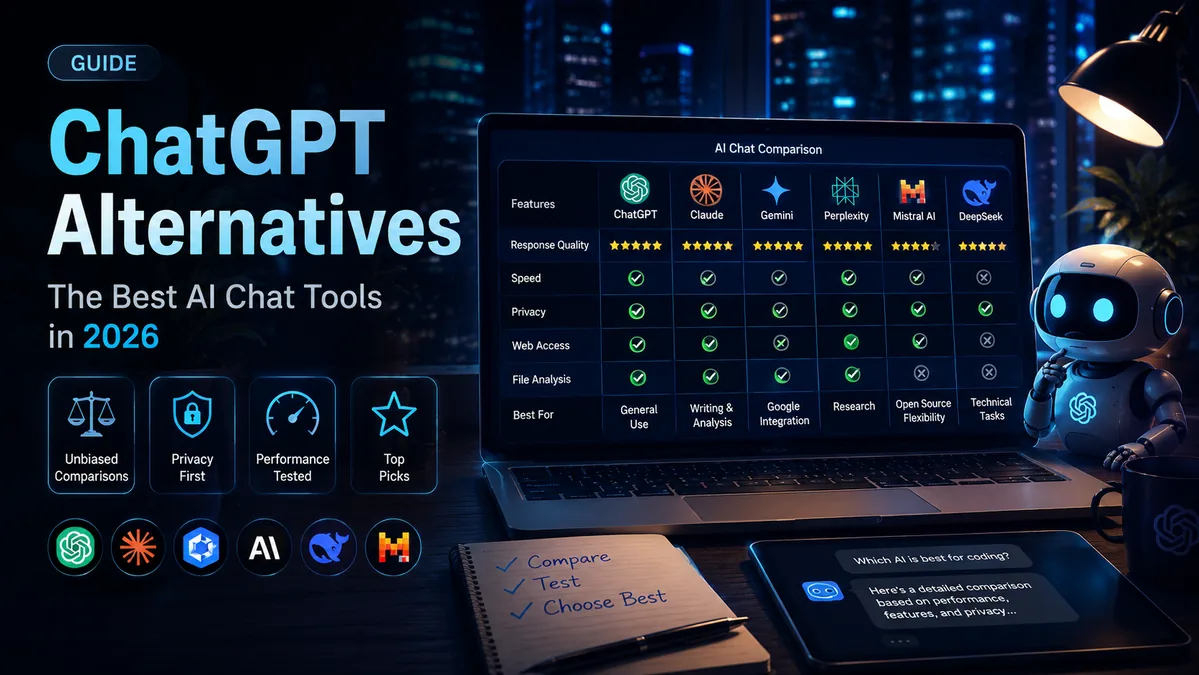
Most Mac users do not think twice before typing something personal into ChatGPT, but cloud AI tools process your prompts on remote servers and may retain conversation data depending on your account settings and provider policy. If you care about privacy, the best ChatGPT alternatives for Mac are Lekh AI for private on-device AI, Jan.ai for free offline chat, Claude for writing, Perplexity AI for research, Mistral Le Chat for European privacy expectations, and LM Studio for developers running local models.
What makes this especially relevant for Mac users is Apple Silicon. M-series chips are powerful enough to run large language models locally, so you can use capable AI entirely on your device with zero data leaving your Mac. This guide compares the top privacy-focused options honestly. For the broader case on why local AI is worth it, read our guide to the benefits of running AI locally.
Why Mac Users Should Care About AI Privacy
Mac users are in a uniquely strong position when it comes to AI privacy. Apple Silicon makes running AI models locally on Mac fast and practical, something that was not realistic for most laptops a few years ago. Unlike cloud-based AI tools that route every prompt through a remote server, locally run AI keeps your conversations on your device.
Think about what people actually type into AI assistants: health questions, financial details, legal situations, private work conversations, client names, unreleased documents, and code from proprietary projects. With a cloud chatbot, that information is processed outside your Mac. With privacy-first AI tools designed for macOS, it can stay local.
Most browser-based AI apps offer no real local privacy protection because they still send each prompt to external servers. A native Mac AI app that runs on-device is a fundamentally different proposition. For more background, read our guide to using AI without internet on Mac.
What to Look for in a Privacy-Focused AI for Mac
Before choosing a tool, check whether it runs entirely on your Mac or sends data to cloud servers. That is the biggest privacy distinction.
Also look at whether the provider uses conversations for model training, whether it has a real macOS app or is just a browser tab, whether it supports multiple AI models or locks you into one provider, and whether its data retention policy is clear. These questions quickly separate genuine privacy-first AI tools from apps that only use privacy as marketing language.
For Mac users, Apple Silicon support matters too. Apps that support MLX, GGUF, and local model downloads can take advantage of unified memory and Apple GPU acceleration. If you are new to model sizing, see our guide to how much RAM you need for local AI.
Best ChatGPT Alternatives for Mac Users Who Value Privacy
Here are six privacy-focused AI tools for Mac, ranging from fully local on-device apps to cloud AI products with stronger privacy policies than ChatGPT.
1. Lekh AI - Best Private On-Device AI for Mac
Lekh AI is a private, on-device AI app built specifically for Mac and iPhone. Everything runs locally on Apple Silicon: no cloud dependency for local models, no accounts required for the base app, and no data collection. There is no telemetry, no analytics, and no crash reporting. Your prompts, conversations, generated images, and documents stay on your device.
The base app gives you local AI chat with 1,000+ models, including Llama, Qwen, Gemma, Mistral, Phi, and DeepSeek. It supports MLX and GGUF formats optimized for Apple Silicon, includes a Knowledge Hub for uploading and querying your own documents privately with RAG, and adds text-to-speech and audiobook creation, all offline.
Lekh AI Pro adds Flux image generation, LTX 2.3 video generation, ACE-Step music generation, WhisperKit speech-to-text, a Hugging Face model converter, benchmarking, and an agentic web browser with research mode.
Best for: Mac users who want the most private AI experience possible for chat, writing, coding, documents, images, and creative work.
2. Jan.ai - Best Free, Completely Offline AI for Mac
Jan.ai is a free, open-source local AI app for Mac. It runs MLX and GGUF models entirely offline after the initial model download: no account, no internet, and no prompts sent to a cloud server. It supports Llama, Mistral, Qwen, and many other popular LLMs with a clean, beginner-friendly interface.
Jan.ai is primarily a chat tool. It does not include image generation, video, music, document knowledge bases, or the broader creative features found in Lekh AI Pro. But if you want a free local chatbot, it is one of the strongest options.
Best for: users who want a simple, free, fully offline AI chatbot on Mac.
3. Claude by Anthropic - Best for Long-Form Writing
Claude has a native Mac desktop app and is widely regarded as one of the best AI assistants for natural writing, editing, and document analysis. Its large context window lets you work with long documents, contracts, reports, books, or codebases without the assistant losing track of earlier material.
Claude is still cloud-based. Your conversations are processed on Anthropic's servers, not on your Mac. Anthropic's data policy is more privacy-conscious than many cloud AI tools, and conversations are not used for training by default for most consumer and business plans, but it is not the same as running AI locally.
Best for: writers, researchers, and developers who want excellent output quality and are comfortable with cloud processing.
4. Perplexity AI - Best for Research and Cited Answers
Perplexity AI works more like an AI-powered search engine than a regular chatbot. Every answer includes citations with links to sources, which makes it much easier to verify information. It searches the live web in real time, so it is not limited by a training data cutoff.
A Mac app is available, but Perplexity is cloud-based and stores conversation history. It is not a privacy-first local AI tool. Its value is research quality and citations, not keeping everything on your Mac.
Best for: researchers, students, and journalists who need answers with sources they can check.
5. Mistral Le Chat - Best for European Mac Users
If you are based in Europe and are uncomfortable with AI conversations being handled by US-based companies, Mistral Le Chat is worth a look. It is built by Mistral AI, a French company operating under EU jurisdiction and GDPR expectations.
Mistral Le Chat is browser-based rather than a native Mac app, but it is fast, has a generous free plan, and handles writing, natural language tasks, and light coding well. It is still cloud AI, so it does not provide the same privacy level as local tools like Lekh AI, Jan.ai, or LM Studio.
Best for: European Mac users or anyone who wants GDPR-oriented cloud AI without relying on ChatGPT.
6. LM Studio - Best for Developers Running Local Models
LM Studio is a free desktop app for Mac that lets you browse, download, and run open-source LLMs directly on Apple Silicon hardware. It supports GGUF models, including Llama, Gemma, Mistral, and DeepSeek, and can run a local API server so other apps can connect to it as a backend.
LM Studio is best described as infrastructure for local AI rather than a finished assistant. It is excellent for model testing and developer workflows, but it does not include image generation, knowledge bases, audio tools, or a polished everyday assistant experience.
Best for: developers and power users who want to run raw local models on Mac and build their own AI workflows.
Quick Comparison: ChatGPT Alternatives for Mac
No single tool is right for everyone, so here is a side-by-side comparison. If privacy is your main concern, pay closest attention to the "Local AI" and "Privacy Strength" columns.
| Tool | Local AI | Mac App | Starting Price | Privacy Strength | Best For |
|---|---|---|---|---|---|
| Lekh AI | Yes | Yes | $4.99 trial | Highest, zero cloud for local models | Complete private AI studio |
| Jan.ai | Yes | Yes | Free | Highest, fully offline | Free offline chatbot |
| Claude | No | Yes | Free / $20 mo | Medium-high | Writing and long documents |
| Perplexity AI | No | Yes | Free / $20 mo | Medium | Research and citations |
| Mistral Le Chat | No | Browser only | Free / $14.99 mo | High for cloud AI | European users |
| LM Studio | Yes | Yes | Free | Highest, fully offline | Developers and local LLMs |
Which ChatGPT Alternative Is Right for You?
You want zero data leaving your Mac: choose Lekh AI or Jan.ai. Both can run entirely on-device. Lekh AI adds image generation, knowledge bases, audio tools, and more.
You want the best writing quality with a stronger cloud privacy stance: choose Claude. It has a native Mac app, a large context window, and strong writing performance.
You want to run 1,000+ local AI models in one app: choose Lekh AI. You can browse and run models without switching tools or paying cloud API costs.
You need research with cited sources: choose Perplexity AI. It is the strongest option for verifiable, source-backed answers.
You are in Europe and need GDPR-oriented cloud AI: choose Mistral Le Chat. It is not local, but it is a stronger fit for users who want EU-based AI infrastructure.
You are a developer who wants to run raw local models: choose LM Studio. It is one of the cleanest tools for downloading and running GGUF models on Apple Silicon.
Common Questions About Private AI on Mac
What is the best ChatGPT alternative for Mac users who care about privacy?
Lekh AI is the best option for users who want a complete private AI studio on Mac. It runs on Apple Silicon with no cloud dependency for local models, no tracking, no analytics, and no data collection. Jan.ai is the best free alternative for users who only need local chat.
Can I run AI entirely on my Mac without the cloud?
Yes. Lekh AI, Jan.ai, and LM Studio all run large language models locally on Apple Silicon. Your prompts and responses stay on your device. Lekh AI also supports offline image generation, video, music, and document analysis. Full guides: How to Use AI Without Internet on Mac and Best Local AI Video Generation Tools in 2026.
Is there a free ChatGPT alternative for Mac?
Yes. Jan.ai and LM Studio are completely free. Lekh AI has a 3-day free trial and costs $4.99 for the base app. Claude, Perplexity AI, and Mistral Le Chat all offer free plans with usage limits.
Does Claude have a Mac app?
Yes. Anthropic offers a native Claude desktop app for macOS. It is cloud-based, but Anthropic has a cleaner data policy than many cloud AI providers; conversations are not used for training by default for most users.
What is the difference between Lekh AI and LM Studio?
LM Studio is a model runner that downloads and runs local LLMs. Lekh AI is a complete on-device AI studio with local chat, Flux image generation, LTX 2.3 video, ACE-Step music, text-to-speech, audiobooks, a knowledge base, and more, all in one app.
Your Data Belongs on Your Mac
ChatGPT is powerful, but it comes with privacy trade-offs most Mac users never stop to consider. In 2026, Apple Silicon has made it practical to run capable AI locally: fast, private, and fully under your control. You no longer have to choose between a useful AI tool and keeping your data to yourself.
If you want the most complete private AI experience on Mac, download Lekh AI or explore Lekh AI Pro for a one-time upgrade with advanced creative and productivity tools.
Ready to try local AI?
Download Lekh AI and run powerful AI models on your device. Free on the App Store.
Download Lekh AI